

Scopus Author Search
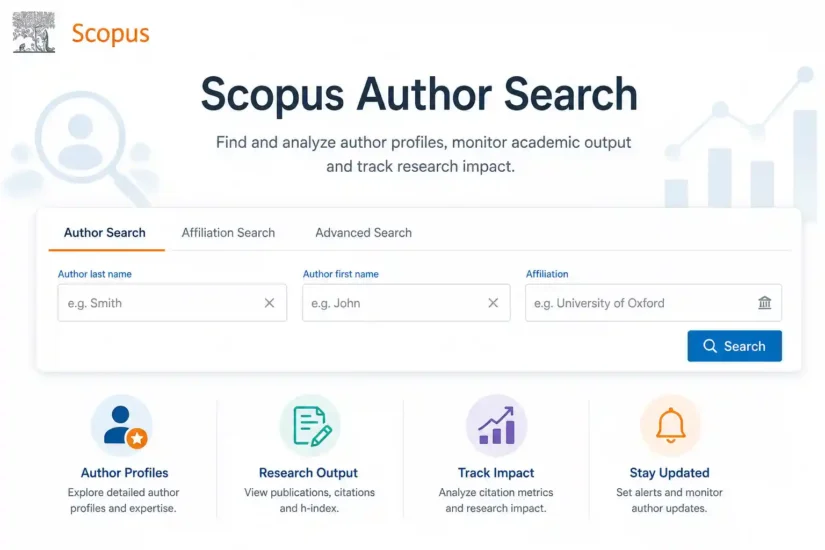
Table of Contents
Supporting Researchers Beyond Scopus Author Search
IdeaLaunch offers comprehensive academic and research assistance to help scholars succeed throughout their research journey. Whether you’re preparing a manuscript, publishing in a Scopus-indexed journal, or completing your PhD research, our experts provide end-to-end support.
Expertise That Supports Your Research
- PhD Research Assistance
- Research Paper Writing Help
- Thesis & Dissertation Writing
- Manuscript Writing & Editing
- Scopus Journal Publication Support
- Literature Review Writing
- Research Methodology Assistance
- Statistical Data Analysis (SPSS, AMOS, SmartPLS)
- Plagiarism Checking & Proofreading
- Journal Submission & Reviewer Response Support
1. Introduction
If you’ve ever searched for an author on Scopus and found multiple profiles with the same name, different affiliations, and inconsistent h-index values, you already know how complex yet powerful Scopus Author Search can be.
Scopus Author Search is one of the most commonly used features in scholarly publishing. It can help researchers to locate colleagues’ profiles, check their publication record, count citations, find collaborators, and determine their impact factor. However, typical descriptions of the tool often end up with instructions such as “enter a name and press search‘”. Not anymore!
In this guide, we will provide advice for PhD students evaluating the publication record of their advisor, young academics constructing their research identity, professors working on their promotion package, and authors wishing to make sure that their publications have been indexed in Scopus properly.
2. Scopus Author Search: What It Is and Why It Matters
Scopus, designed by Elsevier in 2004, is the largest abstract and citation database, with an index that contains more than 27,000 peer-reviewed journals in medical science, engineering, social sciences, and humanities. All the authors publishing in Scopus journals receive a profile.
The Author Search in Scopus allows you to search and view these author profiles – a search based on individuals rather than documents.
So why does it matter? Your Scopus author profile is your professional identity. Your hiring committee, referees, grant agencies, and organizations use it when evaluating you. In India, Scopus metrics directly influence the faculty evaluation, UGC Career Advancement Scheme assessment, and eligibility criteria for Ph.D. programmes.
A wrong profile silently damages your career. A correct and well-maintained profile supports your research activities every day.
3. Why Your Scopus Author ID Matters More Than You Think
It is a unique numeric identifier automatically created when your publication is added to the Scopus database. Your publications will be associated with that ID from the moment it is created, allowing you to have one profile despite the use of different variations of your name or institutional affiliations in the articles.
How does Scopus assign an Author ID?
Scopus has an algorithm that collects meta-information about your publications, such as your name, e-mail, institution, subject field, list of co-authors, citation links, etc. Whenever there is any difference in the information collected, another Author ID is created. This is the reason why people often face multiple Author IDs in their accounts.
What does your Scopus Author ID provide you with
- A single consolidated record of all your published papers within the Scopus database
- An accurate citation number and h-index
- Visibility on your network of co-authorship
- Increased discoverability within Scopus, ORCID, and institutional repositories
- The basis of your grant applications, tenure dossier, and PhD completion requirements
It should be noted that an author won’t have a Scopus ID if they does not publish in Scopus yet.
4. How to Find the Right Author Profile in Scopus: Step-by-Step
Two methods are available to use Scopus Author Search: a full institutional subscription through university login, or a free Scopus preview via scopus.com. Scopus Author Search can be accessed from both sides.
Step 1: Access Scopus Author Search
Access scopus.com. Once you’re on its homepage, find the type of search selector just above the search box. Select Authors instead of documents – this is where most people tend to make a mistake – otherwise, the search will result in articles rather than authors’ profiles.
Step 2: Enter the author’s name
- Always use the last name before the first name/initials.
- Always enter the full first name instead of just initials, as using initials alone can return overly broad or irrelevant results.
- In case the author is commonly known (for example, Kumar, Singh, Ahmed, Chen), include the institution name.
- If the author has affiliations with multiple institutions, leave the affiliation field blank to include papers from the early career stage.
Pro tip: If you have the author’s ORCID identifier, use the “Search by → ORCID identifier” option in the Scopus advanced search instead of searching by name, as ORCID ensures accurate results without name variation issues.
Step 3: Examine the matching authors’ profiles
After executing the search query in Scopus, the system will generate a list of profiles matching your search request. Do not select the first result automatically without verification. Before doing so, please check:
- Is the affiliation connected to the author’s present or previous workplace?
- Are the publications relevant to the intended subject area and not associated with unrelated fields?
- Are the authors working in the same laboratory/department or the same field of research?
- Are the publication years consistent with the author’s career timeline?
One of the most common and costly mistakes in retrieving author data is selecting the first result without proper verification.In cases when two authors share the same name, it may result in erroneous data on metrics.
Step 4: View full author profile
Click on the appropriate author’s name to view their full Author Scopus profile. It contains information on the author’s Author ID, publications included in the Scopus database, citations, h-index, co-authors, and distribution across subjects
5. Using Scopus Filters to Find More Accurate Results
After retrieving a list of author search results from Scopus, different filters will assist in further pinpointing who you are after. Using these filters in combination will produce much more precise results compared to searching with just an author name.
- Filter by subject area: Apply the filter that narrows down the results to the field of study of this particular author. Particularly handy for popular names.
- Filter by affiliation/institution: Apply a specific organization or research institute. Useful when you know where the author works.
- Filter by Publication: Limit your search to a range of years in which you expect to find publications.
- Filter by Document: Restrict your results by specifying a certain type of document.
- ORCID filter: When searching for your own ORCID or a researcher who has one, switching the search mode to ORCID ensures a single, precise result without ambiguity. It is the most accurate filtering option available.
6. What Your Scopus Author Profile Reveals
When you open a researcher’s profile, you’ll see a number of sections. Every section gives you important information about the author and their work.
Overview tab
It is a sort of resume or brief biography of the researcher’s activity and performance. Here you can find the researcher’s name, registered name variants, affiliation details, subjects they publish on, and a Scopus ID. You’ll also link the ORCID here if you haven’t done that before.
Documents tab
Here you will find the list of all documents assigned to this author on Scopus. It includes journal articles, conference papers, book chapters, and review papers. For each paper, you will find the title, source, year of publication, and citations.
Citations tab
Shows a graph of total citations per year, allowing you to track the citation growth trend of the author. See which papers generate the most citations – your top publications.
Co-authors tab
Lists all the scientists with whom this person has collaborated. This information may be helpful in detecting collaboration patterns in your field, identifying new collaborators, and understanding which research groups this author is affiliated with.
Metrics tab
The Metrics tab displays core research metrics, including citations, h-index, publication count, and subject distribution. These figures are commonly used to assess a researcher’s academic output and impact.
7. Understanding H-Index, Citations, and Research Impact
It is useless to look at the statistics from a Scopus Author Profile if you cannot interpret them properly. Here is the meaning of indicators for your academic career.
H-index
This metric captures the productivity and impact of a researcher in one go.An h-index of 12 means the author has 12 publications, each of which has been cited at least 12 times. This is a balanced metric since it is not easy to inflate the h-index through a single high citation paper.
What it doesn’t tell you: The h-index varies widely by field. While an h-index of 8 denotes good performance in the mathematical field, it indicates average performance in the biomedical field. Always compare the author’s h-index in the same field of study, not across disciplines.
Citation count
This shows how often the publications of the author have been cited by other authors. It gives an idea of the author’s impact. A year-over-year increase in the number of citations (in the Citations tab) indicates more relevance than the total citation.
Consider self-citation: Scopus provides the opportunity to exclude self-citations from the citation count. To get an accurate impact measurement from others research, always exclude self-
Co-author network
Co-author data will show the extent of collaboration, meaning how many other scientists are collaborating with that author, and at how many institutes/countries. The broadness of a co-author network is often indicative of interdisciplinary involvement, as well as international collaboration, and is viewed positively in promotion and funding application processes.
Subject Area Distribution
Shows what subjects the publications of that author belong to. For an interdisciplinary scientist, subject area distribution may indicate how their body of work is classified in various fields. In addition, this information may come in handy when assessing whether the candidate fits the topic of collaboration.
8. How to Update and Fix a Scopus Author Profile Issue
Profile duplication happens quite often since Scopus algorithms create an additional author profile for any article whose affiliation or names they cannot match to a specific researcher. That’s why, if you have changed your affiliation or published with a different version of your name (for example, without middle initials), then, most likely, you have duplicate profiles on Scopus.
Why does this matter? Your h-index and number of citations will be smaller if your papers are divided between two or three different author profiles. As a result, your productivity may appear lower than it actually is. This can impact your ability to be promoted and successfully apply for grants.
How to check for duplicate profiles
- Search for your name on the Scopus Author Search page.
- Turn off the “Only show exact matches” option to display a broader set of search results.
- Use different combinations of your name, such as surname and initials, surname and full first name, or just surname.
- Search for your old institutions if you used to work there.
- Find all author profiles that include any of your papers.
How to merge profiles using the author feedback wizard
The Author Feedback Wizard is a Scopus official tool designed to merge author profiles. Follow these steps to use it:
- Go to your Scopus Author Profile and select “Edit my profile” or “Request author detail corrections.”
- Choose to merge authors from the drop-down menu.
- Tick the box corresponding to each of your profiles.
- Submit a request to merge authors.
- Choose your preferred author name and review the list of publications to ensure accuracy.
- Send the request: Scopus corrects and updates the record.
Adding papers that are missing from your list
If one of the papers that you’ve written does not appear in your Scopus account:
- Make sure the paper is published in a journal that Scopus indexes — otherwise, the paper won’t show up.
- If the journal is indexed, the paper might be linked to the wrong profile — start by merging your profiles.
- Use the “Request to Add Document” button and fill in the required information – DOI, journal title, and year of publication
Setting up Scopus alerts: Once your profile is accurately reflected, set up email alerts to be notified about any newly added publications to your Scopus author profile. It is essential to correct any errors in time to avoid issues when reporting your annual output.
9. Linking Scopus to ORCID in 2026: Importance Every Researcher Should Know
ORCID (Open Researcher and Contributor Identifier) is a unique digital identifier that makes you distinguishable among all other researchers worldwide. In 2026, connecting your Scopus Author ID to your ORCID number will not be a choice for serious scholars anymore.
Why the Scopus-ORCID connection is important
- The problem of name ambiguity will be removed once and for all. ORCID searches do not involve any name matching
- Many journals insist on providing an ORCID ID at the time of article submission. Otherwise, there’s a chance that Scopus won’t connect this paper with you.
- Grants that mandate the use of ORCID for researcher identity include the European Research Council Grants and the Indian SERB Grant Proposals, among many other national agencies.
- University-level CRIS (Current Research Information Systems) uses both Scopus and ORCID identifiers together. In case of a disconnect between the two, your information will be inconsistent across platforms.
Steps to connect your ORCID with Scopus
- Start by clicking on ‘Start’ and logging into your ORCID account.
- Choose your Scopus author profile from the available options.
- Confirm your publication details.
- Provide your email address and get your verified Scopus Author ID.
You can start from your Scopus author profile itself by clicking the Connect to ORCID button.
10. Scopus Author Search Strategy for Academic Career Growth and Grant Success
Scopus Author Search isn’t simply an identification tool; when used effectively, it can actually help to facilitate career development in many tangible ways.
For promotion and tenure proposals
A verifiable publication record with citation statistics forms part of the evaluation process at almost all universities for both promotion and the UGC Career Advancement Scheme. Your Scopus Author Profile provides the necessary evidence. With a fully merged and ORCID-connected profile, you have an accurate representation of your work and impact ready and available at your fingertips.
Get the citation counts and publication data for your Scopus profile into a CSV or PDF file format, which most universities accept as proof.
For funding proposals
Many funding bodies, such as SERB, DST, Wellcome Trust, Horizon Europe, NIH, etc., assess the principal investigator’s Scopus metrics – namely, h-index, citations, and publications in indexed journals – among other things.
For finding collaborators
Use the Scopus Author Search to know the top-notch researchers working in your area. Analyze the author’s co-author network to know with whom they collaborate. Go through the document list to know the list of journals where they publish. This information helps with both collaboration requests and target journal selection by you.
For PhD Scholars
Most Indian universities require PhD students to have Scopus publications before submitting the thesis. The Scopus Author Profile serves as the main source of verification for institutional committees. Building and maintaining your profile from the day you start publishing will prove much easier than editing it later when you submit the thesis.
11. Are You Making These Scopus Author Search Mistakes?
Choosing the first author listed without any verification
The most common mistake. In cases where author names are repeated, choosing the first author without verifying their details can lead to completely incorrect statistics. Cross-check your results before proceeding further.
Not checking for possible duplicate profiles.
Researchers go for decades without knowing that their publication profile is split up into two or more parts. It is advisable to check if there are any duplicate profiles every year.
Using the journal’s word for Scopus Indexing
It might not be visible on your Scopus profile if you’ve written a paper in a de-listed “Scopus-indexed journal.” Verify the indexing status directly from sources scopus.com prior to submission; a paper published in a de-listed journal will earn no credit in Scopus, irrespective of how the journal presents itself.
No ORCID linkage
Scientists who do not use ORCID in their publications tend to suffer from more issues related to profile duplication and name ambiguity. Connecting your ORCID account to Scopus resolves almost all name ambiguity concerns.
Neglecting the self-citation issue
In case you review someone else’s Scopus profile before collaborating with them or proposing a grant application, ensure that you do not rely on citation counts inflated by self-citations.
12. Key Research Terms Every Researcher Must Know in 2026
Term | What Does it Mean for Your Research Career? |
Scopus Author Search | Specific author search option in Scopus by name, affiliation, or ORCID. |
Scopus Author ID | Unique number identifying each researcher. Brings together all publications under one profile. |
H-index | An author is said to have an h-index N if they have N publications, each of which is cited at least N times. Takes into account both productivity and citations received. Only compare in relation to your own field. |
Number of Citations | Total number of citations that you received. Remove self-citations to get a more accurate measure of research impact. |
Co-author Network | A network of researchers who are your co-authors. Illustrates your range of collaborations and interdisciplinary connections. |
Author Feedback Wizard | Official Scopus resource to resolve duplicate profiles, incorporate missing articles, fix different name spellings, and update affiliations. |
ORCID | Short form for Open Researcher and Contributor Identifier. Global, persistent ID for each researcher. Attach your ORCID to Scopus to avoid any confusion around author names. |
Duplicate profiles | More than one Scopus profile belongs to the same author. Divides citations and lowers the number of citations and h-index—resolution using the Author Feedback Wizard. |
Actively indexed by Scopus | Scopus is still indexing the journal. The papers published in this journal will not have any Scopus indexing post de-listing. |
Scopus Sources site | Sources, scopus.com – a free resource allowing anyone to check if the journal is currently being actively indexed in Scopus. |
CRIS | Current Research Information System. Faculty research management software system, which also connects to Scopus and ORCID. |
Complete Research Support: From Academic Profile to Journal Publication
Maintaining your Scopus Author Profile correctly is one thing, but growing your publication list by publishing your papers in high-ranking Q1 & Q2 Scopus-indexed journals is an entirely different ball game altogether.
Every researcher – whether they are just starting on their career and submitting their first paper or even seasoned faculty looking to publish promotion-worthy work – runs into trouble at some point between maintaining the profile and succeeding in getting published.
This is where IdeaLaunch comes into play; we have developed our entire service model around helping research authors succeed in their publishing goals. This includes:
- Assistance in identifying target journals through Scopus based on your manuscript topic, research methods, and intended audience.
- Assistance and expert advice with merging profiles and using your ORCID ID
- Professional and customized manuscript editing according to target journal guidelines
- Cover letter drafting and reviewer response letter writing
- Advice on Open Access and APC issues
- Specialized help for PhD students targeting their very first Scopus article